One system for the work behind the design.
Design Ops brings the operational side of your studio into one connected place, from first inquiry to installed to margin, with AI at every step. You keep designing. It handles the rest.
Living room selections
3 approved Sculptural lounge chairBoucle · Atelier Co.Approved
 Hand-glazed table lampCeramic · NorthlightIn review
 Walnut consoleSolid oak · HeirloomApproved
AI: Client approved 2 of 3. I can send the walnut console to procurement and draft the approval summary. You confirm.
The problem
Your design lives in one place. Everything around it is scattered.
Leads in your inbox. Selections in spreadsheets. Orders in email threads. Money in another tool entirely. The design is the easy part. It's the operation around it that eats the day.
Design Ops connects that operation into a single system that follows how a studio actually works, so nothing falls through the gaps.
One connected system
From inquiry to installed to margin
Everything around the design, in one calm, connected place. Leads, proposals, selections, procurement and margin. One system, from first inquiry to installed.
Why Design Ops
Not a tool bent to fit design. Built for it.
Most studios stitch together a project tool, a spreadsheet, an inbox and an accounting app, none of them made for interior design. Design Ops is one system shaped around the actual work, with AI inside it and the numbers in plain sight.
Purpose-built for interior design
Rooms, selections, approvals, FF&E, procurement stages, installs. The language and the flow are the studio's, not a generic CRM's.
Where others adapt a project tool, this was designed for the work.
AI at every step
Reading, drafting, organizing and summarizing happen throughout the workflow, not as a bolted-on chatbot. You keep the final say.
Where others are management software, this is AI-first.
Margin you can actually see
Connect your accounting and every project carries its own revenue and margin, next to the work, instead of a spreadsheet reconciled at the end.
Where others stop at task lists, this shows the money.
One connected system
Every stage in one place
Everything around the design, in one calm, connected place.
Leads, proposals, selections, procurement and margin. One system, from first inquiry to installed.
AI across the workflow
AI built into the work, not bolted on beside it.
Design Ops puts AI where the busywork actually is: reading, drafting, organizing and summarizing at each stage. It does the first pass; you make the calls.
Reads & extracts
Turns a discovery call into structured scope, budget, timeline, rooms and style, and enriches new leads with a fit signal you can act on.
Drafts & generates
Produces first drafts of scopes, proposals, mood boards and client updates in your studio's voice, ready for you to refine and send.
Finds & summarizes
Ask in plain language and get answers across projects and workflows, plus daily and weekly summaries drafted for you to review.
The workflow
From first inquiry to installed, one continuous thread.
Each stage hands cleanly to the next, so context never gets re-typed and nothing gets lost between tools.
Win the work
Capture and qualify leads, understand the property, run discovery calls, and turn them into scopes and proposals.
AI enriches leads, extracts the brief, and drafts the scope and proposal.
Design & select
Build mood boards, specify products room by room from your library, and get clean client approvals.
AI helps generate boards and organize selections for approval.
Procure & deliver
Order approved items and track every one from ordered → in production → in transit → delivered → installed.
AI summarizes procurement status so you always know where things stand.
Keep clients informed
Share progress and updates without writing them from scratch, and keep the project moving with connected tasks.
AI drafts daily and weekly updates for you to review and send.
Understand the business
See what each project and the studio is actually earning, so you run on facts, not guesswork.
AI summarizes performance in plain language for owners.
Core features
Everything a studio runs on, in one place.
Leads & discovery
Qualify inquiries, capture property context, and turn discovery calls into a structured brief.
AI enrich & extract
Scope & proposals
Draft credible scopes and client-ready proposals that look like your studio, not the software.
AI drafting
Selections
Specify products room by room and get clear client approval, without a call.
AI organize
Procurement
Track every ordered item from PO to installed across five clear stages.
Product library & mood boards
A reusable catalogue of products and suppliers, and boards that set the visual direction.
AI generate boards
Tasks & team
Keep work moving with tasks tied to projects, and manage roles across your studio.
A look inside
Real screens for real studio work.
Clean, spacious views built around what you actually do each day, not a generic dashboard with your logo dropped on top.
Procurement. Every ordered item across five clear stages: ordered, in production, in transit, delivered, installed.
Boucle chairAtelier Co.Ceramic lampNorthlightOak consoleHeirloom Walnut stoolForma
 Linen throwWeave & Co.
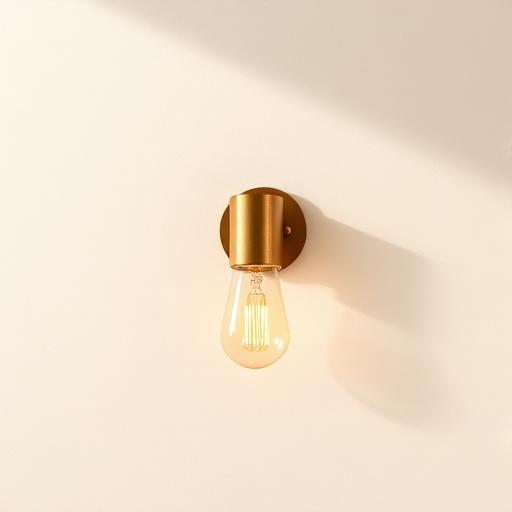 Brass sconceLumen
 Stone vaseTerra
 Wool rugLoomed
Product library & mood boards. A reusable, filterable catalogue of the products and suppliers your studio trusts, ready to drop into selections.
Business View
Finally see what the studio is really earning.
Business View connects the work you deliver to the money it makes, per project and across the studio. It's the owner's view: clear headline figures first, detail when you want it.
No exporting to spreadsheets. No guessing at the end of the month. Just an honest picture of the business.
AI summary: Margin is up on last quarter, led by the Ashford and Vale projects. Two projects are trending below target. Worth a look.
Hi, loved the initial ideas. We're ready to move forward on the living and dining rooms, and possibly the primary suite. Budget is roughly what we discussed. When can we talk selections?
Email extension · Gmail & Outlook
Work a lead where it lands, right in your inbox.
Most work still starts as an email. The Design Ops extension sits beside your messages in Gmail and Outlook, so you can see the lead's context and capture it without switching tabs.
AI reads the thread and suggests the next step; adding it to Design Ops is one click. What you send is always your call.
AI Assistant
Ask your studio anything.
One place to find information, get answers across your projects, and take supported actions, in plain language.
What's outstanding on the Ashford living room, and can you set a follow-up?
The living room has one selection in review, the hand-glazed table lamp, awaiting client approval since Tuesday. Everything else is approved and two items are in procurement.
Create task in Asana: “Chase lamp approval for Ashford”Confirm
Integrations
Fits the stack you already have.
A project already travels through your tools — a call, a board, a task, a folder, an invoice. Design Ops threads them into one line instead of replacing any of them. Eight connections today, with Google Drive and Xero on the way.
- 1
Media
Capture & designDiscovery calls become briefs. Boards become room-by-room selections.
PlaudCall capture
CanvaDesign
PinterestInspiration
- 2
Project management
Plan & assignApproved scope turns into tasks, in the board your team already opens.
AsanaTasks
 BasecampTasks
 - 3
Files and assets
Store & shareDrawings, specs and signed approvals land in the project's own folder.
DropboxFiles
 Google DriveFilesSoon
 - 4
Billing
Bill & reconcileEstimates, invoices and payments stay in the books you already keep.
QuickBooksAccounting
XeroAccountingSoon
Early access
Be among the first studios inside Design Ops.
We are opening in small cohorts, so every studio gets real attention. Founding members get the complete system, hands-on onboarding, and a direct line into what we build next.
We are taking a limited number of studios, so onboarding stays personal.
No feature gates. Founding members get everything, from inquiry to installed to margin.
Tell us what your studio actually needs. Early members' requests go to the front of the queue.
Pricing is shared with your cohort before you commit. No card required to join the list.
Referral program
Good work travels. So should the reward.
Designers talk to designers. When you introduce another studio to Design Ops, our referral program thanks you for it, and gives them a warm welcome in.
FAQ
Questions, answered.
Interior Design Studios from independent designers to growing firms. It's built specifically around the way design studios work, not a general business tool bent to fit.
It brings the operational work of your studio into one connected place, and integrates with tools you already use: Asana, Basecamp, Canva, Dropbox, Letterly, Pinterest, Plaud and QuickBooks, so it fits your stack rather than forcing a rip-and-replace.
AI handles first passes: reading a discovery call into structured scope, drafting proposals and updates, organizing selections, summarizing status. Everything it produces is a draft or a suggestion. Nothing is sent, ordered or deleted without you. You keep the final say.
Every ordered item moves through five clear stages: ordered, in production, in transit, delivered and installed, so you and your clients always know exactly where things stand.
We share pricing with each early-access cohort directly, before you commit. Join the list and we will walk you through it then. No card is required to get on the list.
Early access opens in cohorts. You'll get the product, onboarding support, and a direct line to shape what we build next. Join the list and we'll be in touch about your cohort.